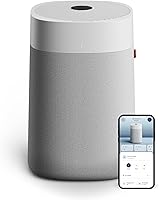
Why Is My Shark NeverChange Air Purifier Red?
A red light on a Shark NeverChange air purifier usually signals a poor air quality reading or a filter alert, depending on which indicator is red. Check the display and your model's manual, then inspect the filter, sensor area, and room conditions.
On this page (6 sections)
- Why is my Shark NeverChange air purifier red?
- What should I check first when the air quality light stays red?
- What if the red light is a filter reminder?
- When should I contact Shark support?
- Which other air purifiers might suit a room with changing air quality?
- How do you tell whether the red warning is resolved?
A red light on a Shark NeverChange air purifier can mean poor air quality or a filter alert, depending on which indicator is lit. Check the display and your model's manual before resetting anything, then inspect the filter, sensor area, and room conditions.
The color alone doesn't identify the cause. A red air quality indicator and a red filter reminder call for different checks, and the exact display can vary by model.
Why is my Shark NeverChange air purifier red?
A red air quality indicator means the purifier is reporting a poor reading; a filter warning points to filter care. Look at the symbol or words beside the red light and match them to the manual for your exact model.
A color bar or air quality display can change when smoke, cooking particles, dust, or other airborne material reaches the sensor. Give the unit some time to respond after the source stops, while keeping the intake and outlet clear.
If the red light is next to a filter symbol or filter-life message, check whether the filter needs the care described in the manual. Don't assume that every red light is asking for a reset.
For model context, see our Shark NeverChange MAX HP302 air purifier review. It can help you identify the controls and features discussed for that model.
What should I check first when the air quality light stays red?
Check the room, airflow, and sensor area before changing settings. A persistent reading can reflect a continuing particle source or a placement problem.
- Look for smoke, cooking fumes, candles, sprays, or dust-producing activity nearby.
- Check that curtains, furniture, and walls aren't blocking the intake or outlet.
- Inspect the sensor area and clean it only as your model's manual directs.
- Let the purifier run and watch whether the reading changes after the source is gone.
- If the display remains red, review the manual's troubleshooting steps.
Avoid spraying cleaner near the purifier or opening the unit beyond the maintenance steps in its instructions. If you can't identify the indicator or the display behaves unexpectedly, contact Shark support with the model number.
Can purifier placement keep the reading red?
Yes, a crowded or poorly chosen spot can limit airflow or expose the sensor to a local source. Keep the purifier in an open area and follow the clearances in the manual.
Don't tuck it behind a sofa or push it against drapes. Our guide to where to place an air purifier explains how room layout and airflow affect placement.
A reading near a kitchen, open window, or dusty work area may differ from the air elsewhere in the room. Move the unit only if the manual allows it, then give the reading time to update.
What if the red light is a filter reminder?
Treat a filter reminder as a maintenance alert, not proof that the air quality is poor. Follow the cleaning or replacement instructions for your exact NeverChange model, then reset the indicator only if the manual calls for it.
Never wash or vacuum a filter unless Shark specifically says that step is safe for your model. Using the wrong cleaning method can damage filter material or affect airflow.
After filter care, confirm that the filter is seated correctly and that any cover is fully closed. A filter alert that returns quickly may point to an installation issue or a unit that needs support.
Does resetting the filter indicator solve a red air quality warning?
No, resetting a filter timer does not remove particles from the room or correct a sensor reading. Use the reset only after completing the filter care step that triggered the reminder.
If the air quality display remains red after the filter alert is cleared, return to the room, airflow, and sensor checks. Keep the two indicators separate so you don't overlook a continuing air quality issue.
When should I contact Shark support?
Contact Shark support if the red indicator remains unexplained after the manual's checks, or if the purifier shows an error or operates abnormally. Have the model number and a description of the symbol or message ready.
Stop using the purifier if you notice a damaged power cord, burning smell, unusual heat, or other signs of an electrical problem. Don't open the motor housing or bypass a safety feature.
For alternatives, compare the best Shark NeverChange air purifiers and the best Shark air purifier options to see which models fit your room and preferred controls.
Which other air purifiers might suit a room with changing air quality?
Consider an air purifier with a sensor and automatic mode if you want it to respond to changing readings. The Levoit Core 400S-P has an AirSight Plus sensor that detects PM2.5 levels, displays a reading, and adjusts fan speed in Auto Mode.
The Core 600S-P also has Auto Mode and is described for extra-large spaces. Its stated CADR is 391 CFM, with coverage figures that depend on the room conditions and use.
If you need a simpler purifier for a bedroom or office, the Levoit Core 300-P has manual fan speed control and a check filter indicator. Its Sleep Mode is specified at 24 dB.
These Levoit models are alternatives, not Shark replacement parts or direct equivalents. Compare room coverage, controls, filter care, and the maintenance instructions before choosing one.
How do you tell whether the red warning is resolved?
The issue is likely resolved when the indicator changes as described in the manual and the purifier runs normally. For an air quality alert, wait for the reading to respond after removing the source; for a filter reminder, complete the specified maintenance and reset procedure.
If the display stays red, returns repeatedly, or shows a separate error, don't keep clearing it without finding the cause. Use the model's troubleshooting steps or ask Shark support for help.
For a Shark NeverChange air purifier that's red, identify the indicator first: check room conditions for an air quality warning, and follow the manual for a filter reminder. Choose a different purifier only if you want features such as a separate particle display or automatic fan control.
Frequently asked questions
Why is my Shark NeverChange air purifier red?
A red indicator can mean the unit detects poor air quality, or it may be a filter status alert. The meaning depends on the model and which light or display element is red.
Check the manual, allow time for the reading to update, and inspect the filter and sensor area.
How do I reset the red light on a Shark NeverChange air purifier?
First identify whether the red light is an air quality indicator or a filter alert. A filter alert may need the filter life indicator reset after you complete the filter care steps in your model's manual.
Resetting the alert won't fix a continuing air quality warning.
Can cooking make an air purifier turn red?
Cooking can add particles and odors to indoor air, which may cause an air purifier's sensor to show a worse reading. Use a range hood if available, keep the purifier's air intake and outlet clear, and wait for the reading to respond after cooking.
Should I keep running the purifier when its light is red?
If the unit is operating normally and the manual does not say to stop, a red air quality reading generally calls for checking the room and allowing the purifier to run. Stop and contact Shark support if you notice damage, unusual heat, burning smells, or repeated error indicators.